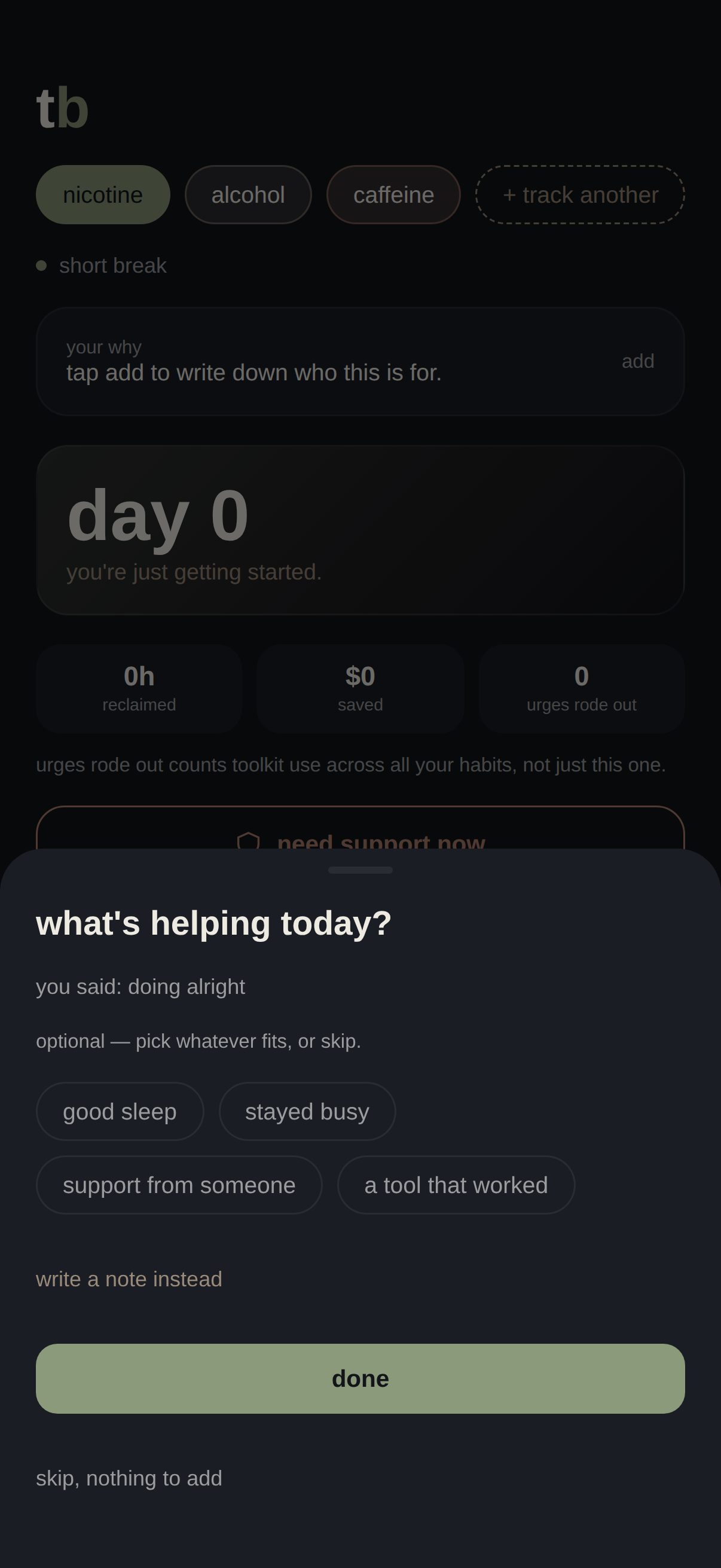
A tolerance break and habit reset app for people who don't want to be considered "addicts" and don't want an app that treats them like one.
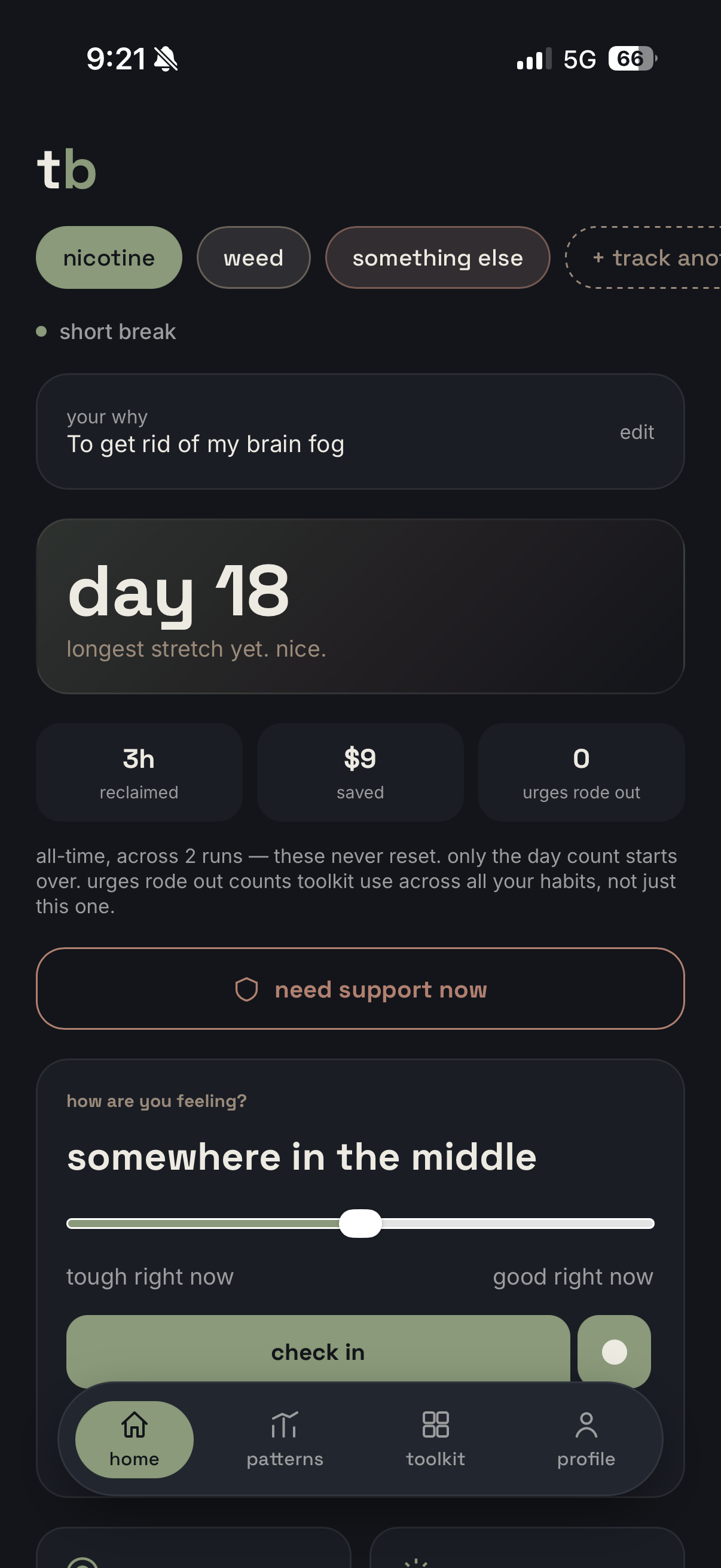
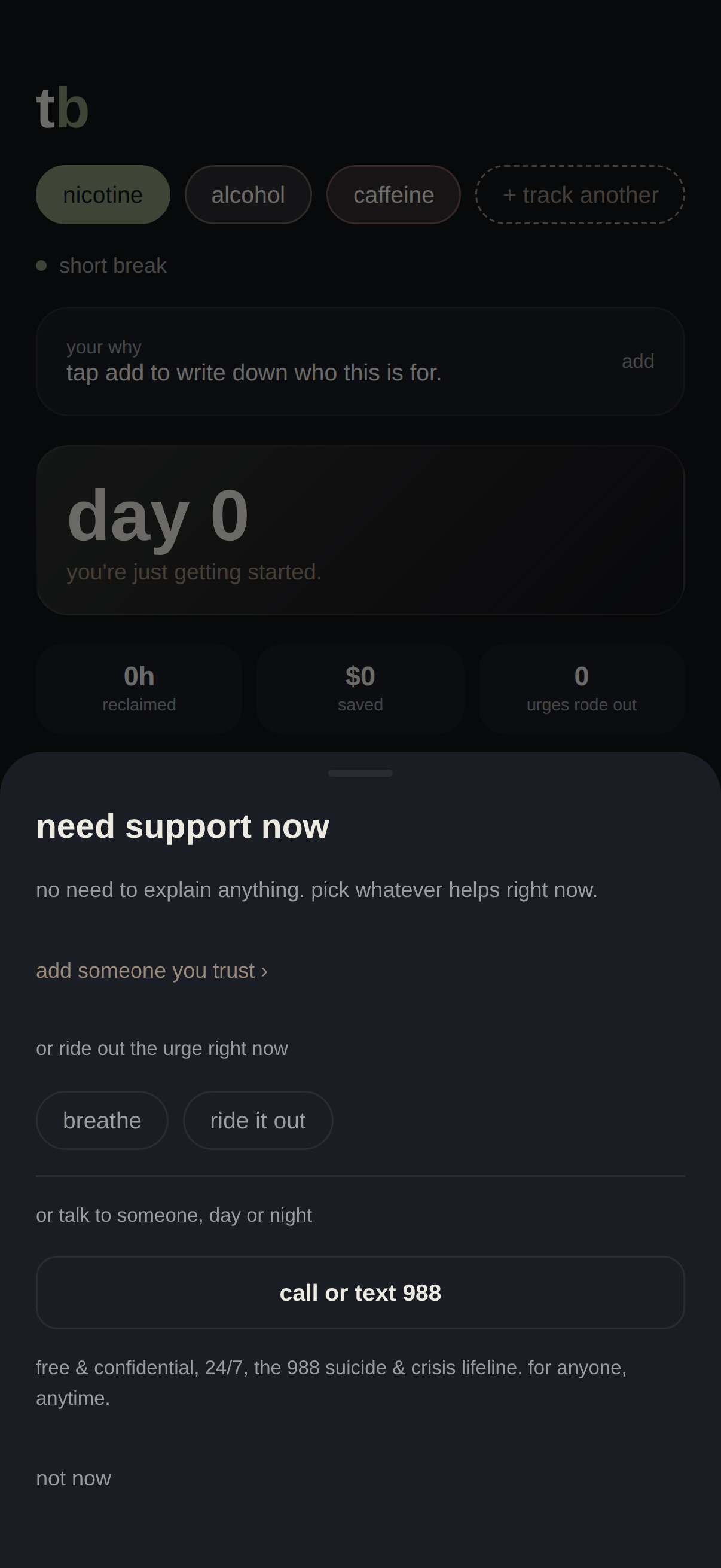
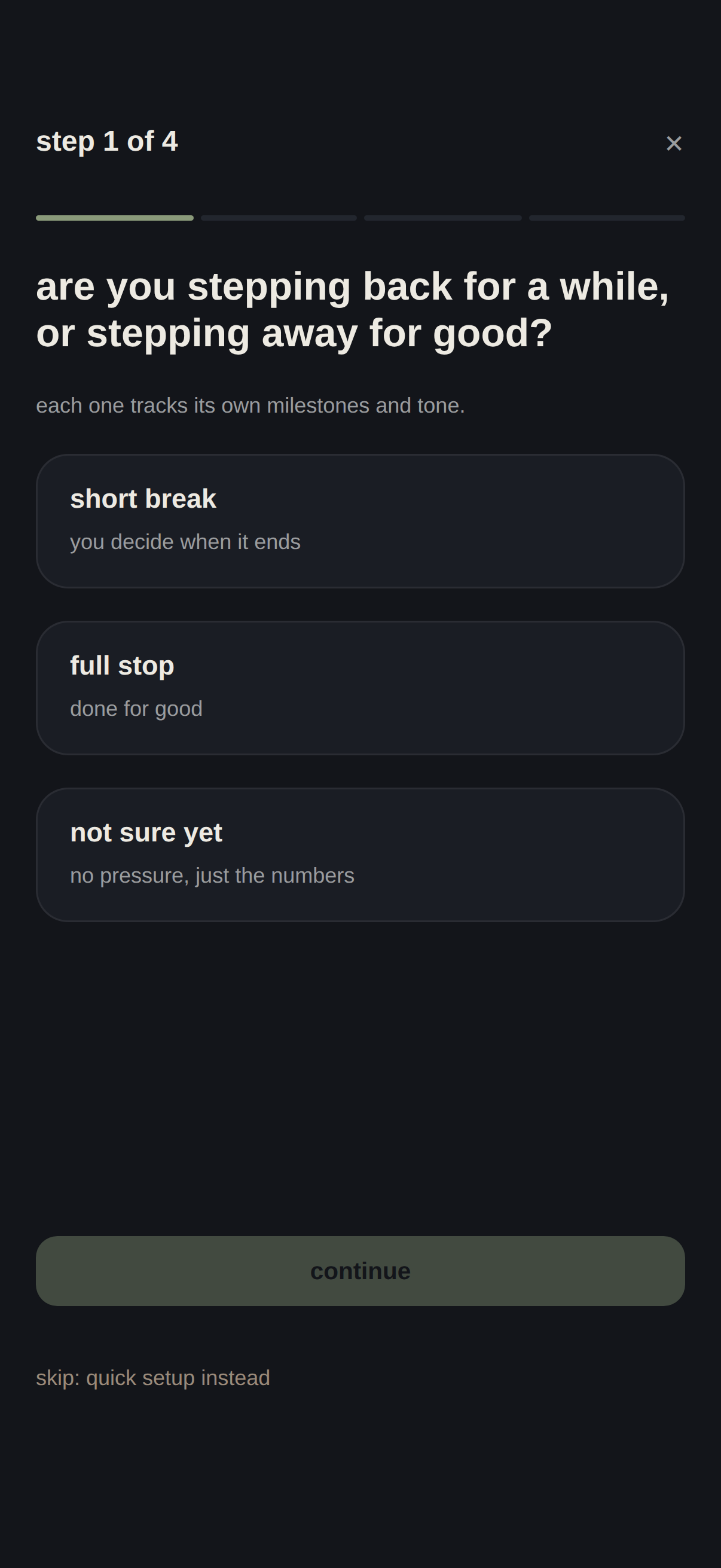
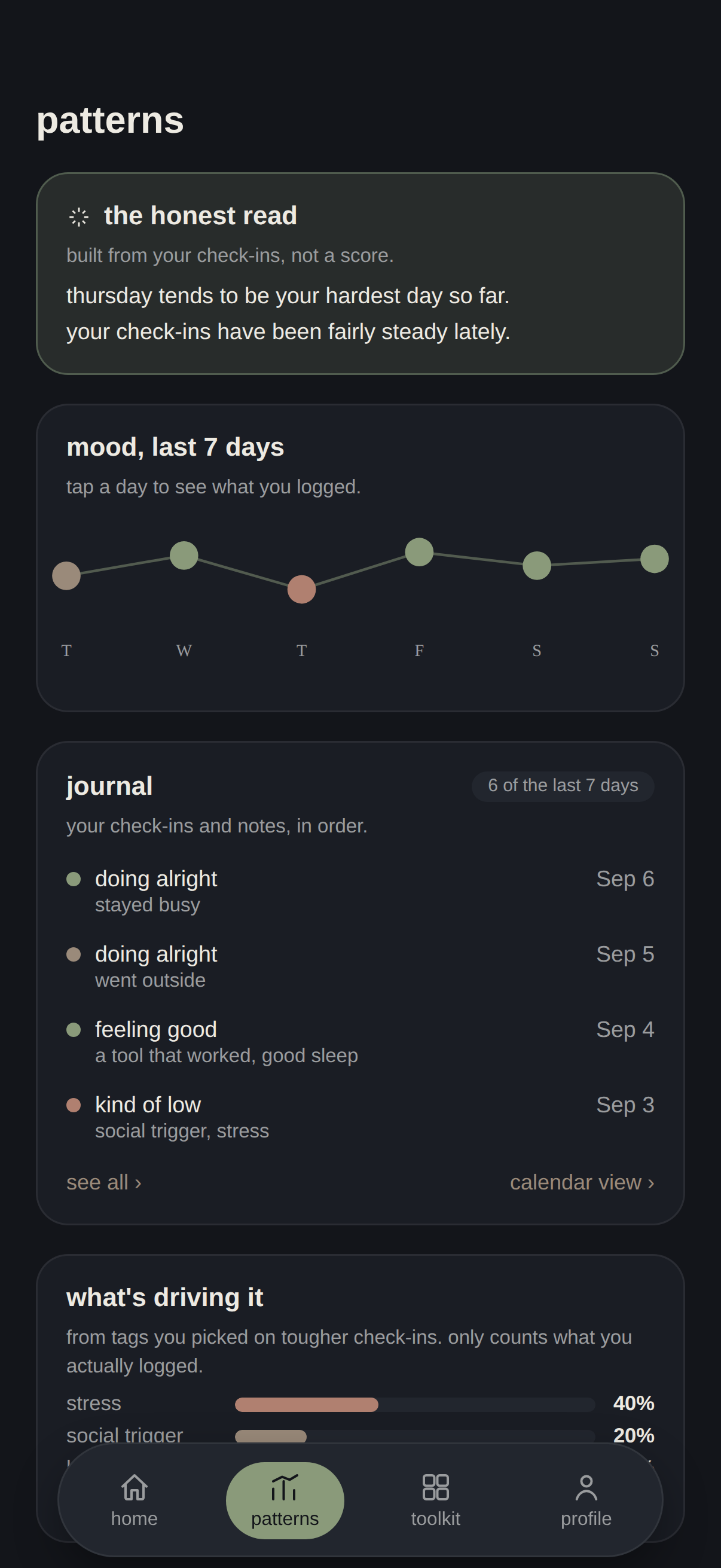
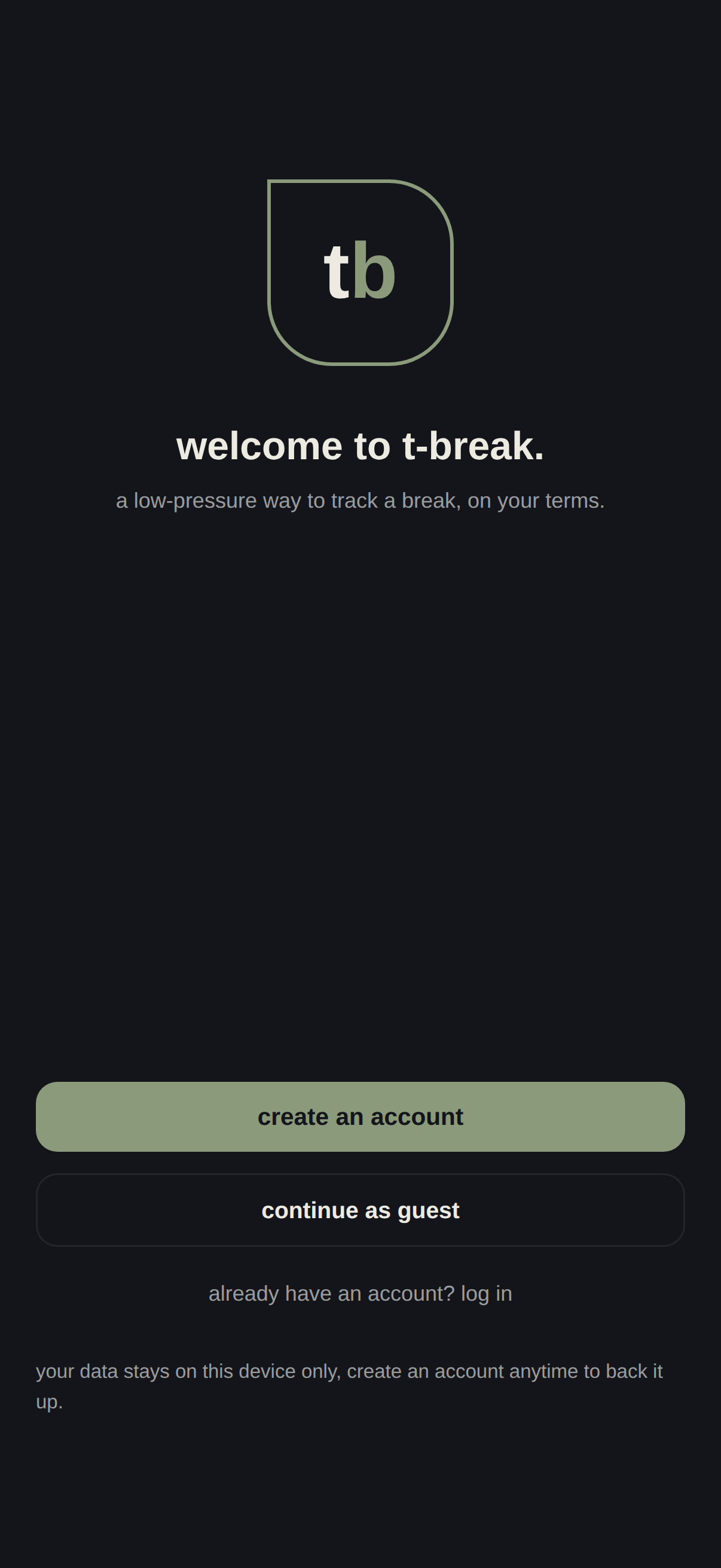
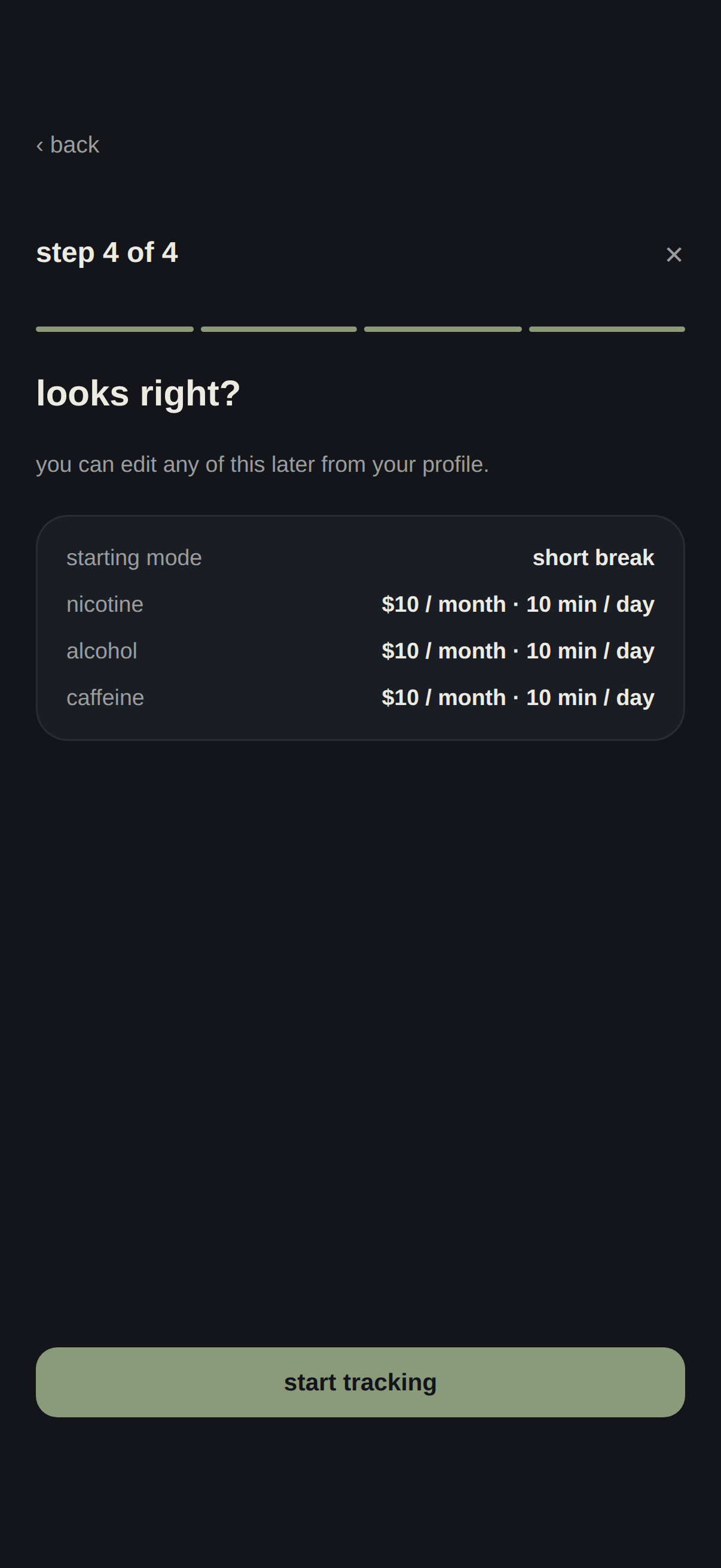
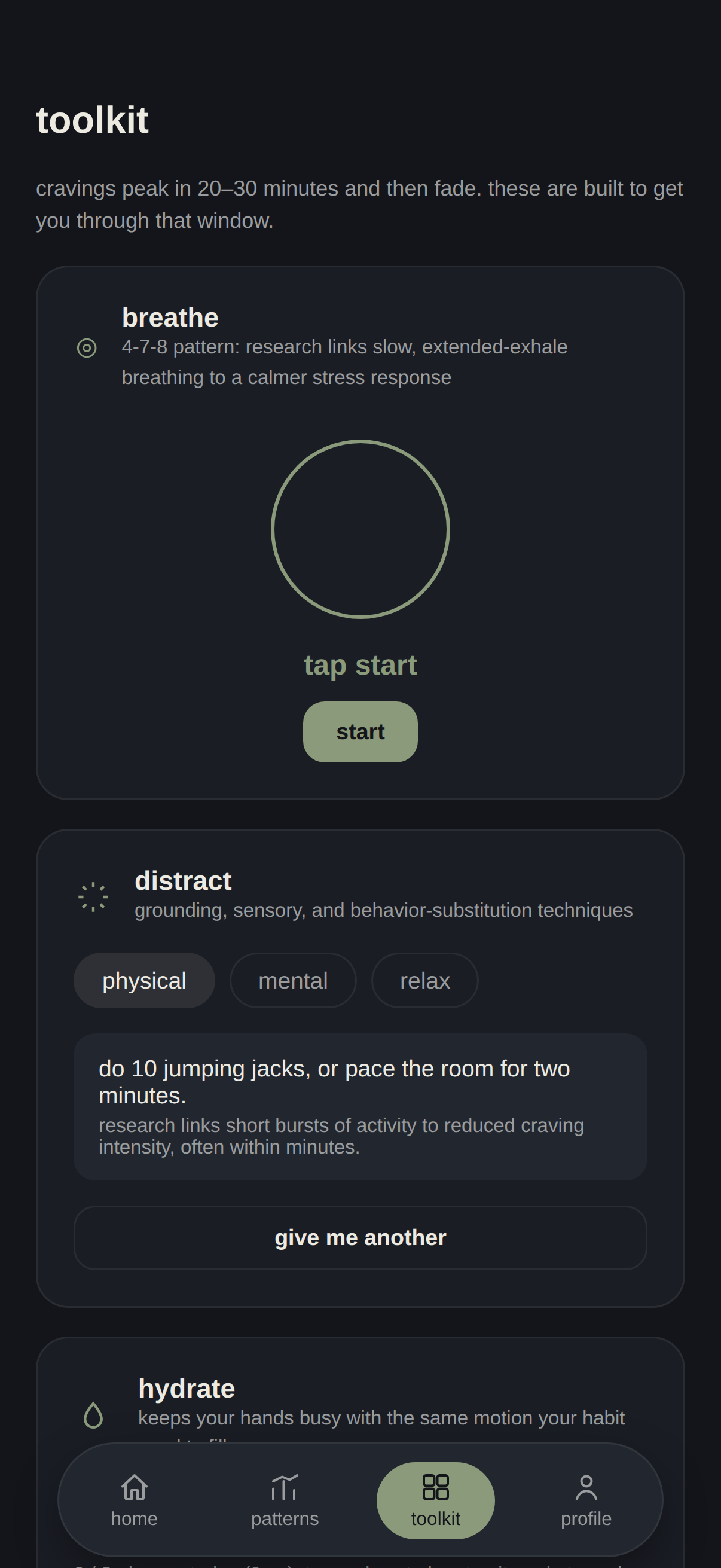
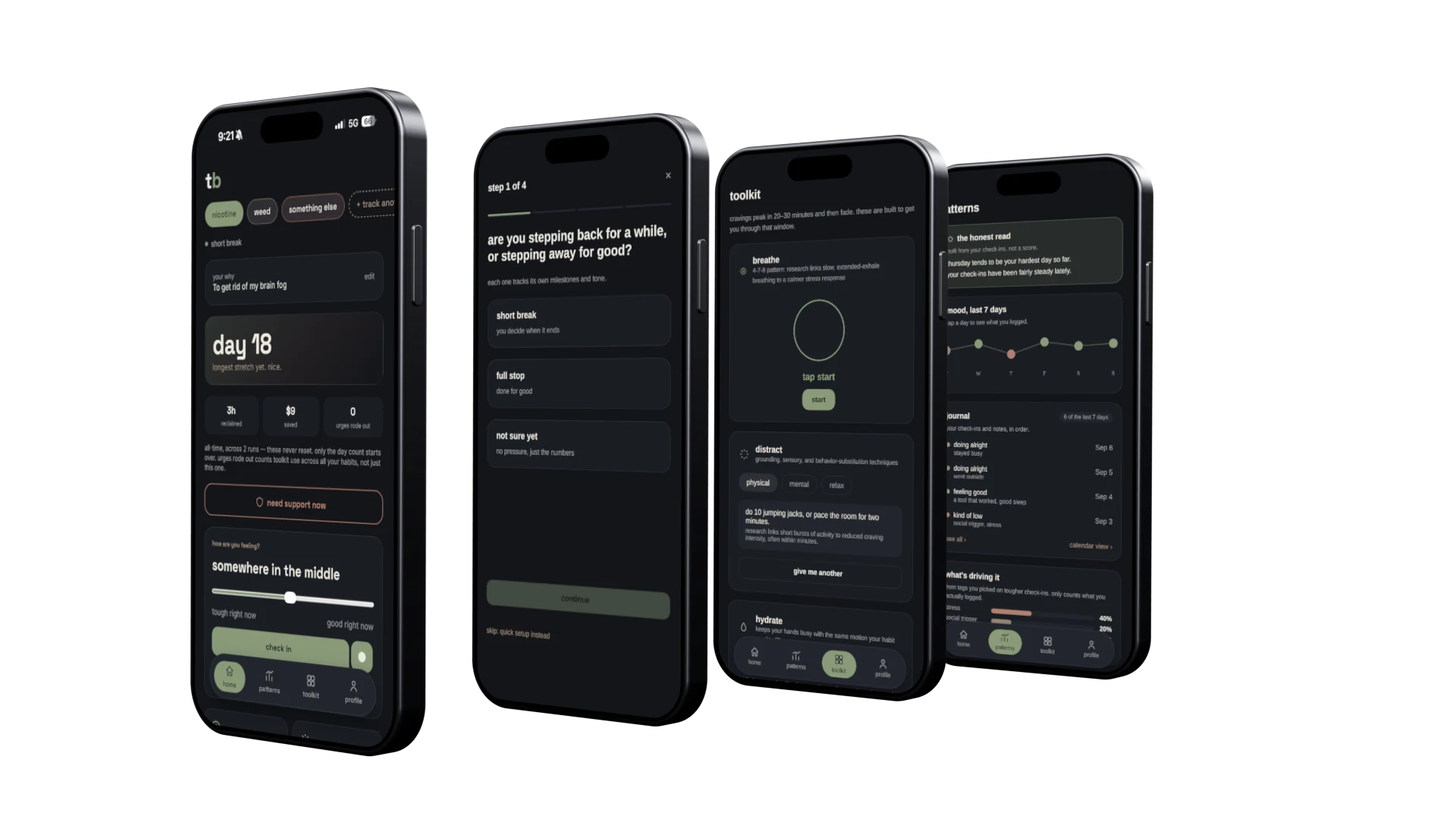
Four real screens from the running app. The front one is a real device, day 18.
A tolerance break is a defined pause, cutting back or stepping away for a while to let your body reset, without committing to permanent cessation. It's a common approach to nicotine, alcohol, and cannabis use, but none of the apps I reviewed are built around it.
I Am Sober, Sober Time, Quitzilla, Sober Grid: streak resets to zero, "days sober" language, a red X the moment you slip. It's effective for engagement, but rough on the person actually using it.
"I don't want to be called an addict. I just want to take a break from vaping and see how I feel."
Jordan is a composite built from conversations with the people I tested with. The quotes paraphrase things they said, not one person's exact words.
Jordan had already dropped a sobriety app because it "felt like being scolded." But Jordan isn't the whole audience. I had to design for someone quitting alcohol for good, someone resetting weed tolerance with no intention of quitting, someone juggling more than one habit at once, and someone stopping after years of use, without collapsing them into one tone.
T-Break hasn't been reviewed by a clinician, and it isn't medical advice. That matters most for alcohol: stopping suddenly after long, heavy use can be medically dangerous, so cutting back in that situation should happen with a doctor's support, not just an app.
A production version would need clinical review, a withdrawal-risk screen during onboarding that routes higher-risk users toward medical support, and clearer resources. The 988 line in the SOS sheet is for crisis support; it doesn't replace emergency care (911) or a treatment referral, such as SAMHSA's free helpline at 1-800-662-4357.
Reviewed I Am Sober, Sober Time, Quitzilla, and Sober Grid for their streak logic, milestone language, and community features, to find exactly what needed to change about how they treat a slip.
Built five different user profiles with different goals and stress levels, and ran the design against each one to surface what a single best-case user would hide.
A small group of three to five people I know used the app for about one to two weeks. I watched how they logged, or didn't log, their check-ins and slips, since the app depends on honest self-reporting.
In this small sample, a pattern showed up: people less committed to quitting tended to under-report or skip logging their slips, whether from logging fatigue, quietly self-correcting after a lie that didn't help, or having no clear way back in after a few unlogged slips piled up. Limitations: this was a small convenience sample of people who mostly knew me, and I was both running the test and seeing the results, so some of it could be people changing their behavior because they knew I'd see it. I treat these as design hypotheses to validate with a larger, more private study.
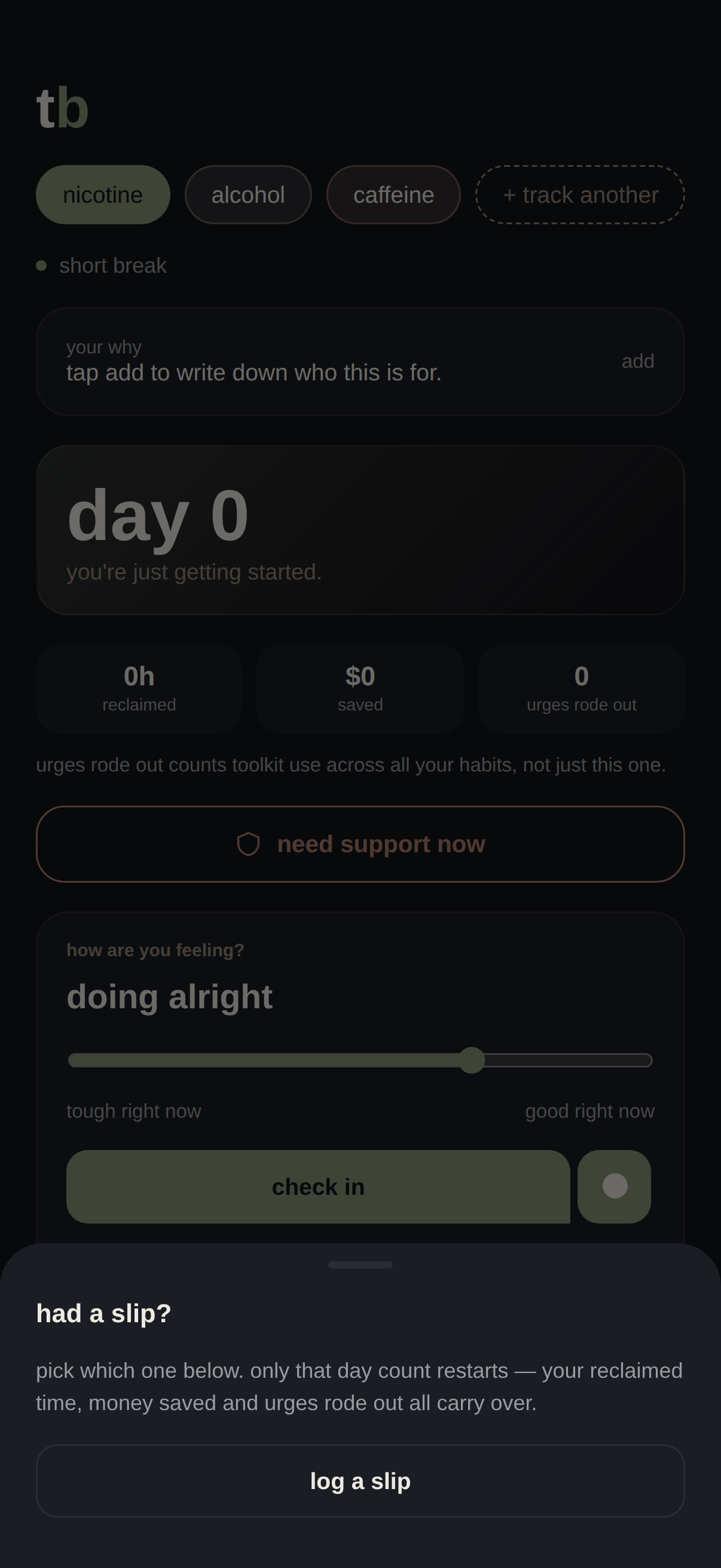
Logging one only resets that single habit's day count. History, other habits, your reasons, all stay exactly where they were.
Stats are computed from what the person actually entered, or the app says so plainly instead of faking precision.
A "short break" mode with no forced end date, alongside a "full stop" mode, and a third mode for people who aren't sure yet. Different tone, different milestones, chosen per habit.
A short, low-friction read on how someone's doing, not a required field for every habit. The app should ask less of a hard day, not more.

One test profile needed more than one substance tracked at once, and the app only handled one. Home now holds several habits at a time, each with its own mode and timeline, switchable with a tap.

One profile needed a way to reach real support in a hard moment, and there wasn't one. Added a sheet with a personal contact, a straight line to the toolkit, and the 988 crisis line, available without an account.
One profile's goal was resetting tolerance, not quitting, and the copy assumed everyone was recovering from something, which didn't fit. Milestone language now forks by mode instead of assuming one story for everyone.

The people who under-reported were the ones least committed to quitting, so I gave them a mode where logging a slip doesn't count against a goal they never set. It reuses the same Home, toolkit, and check-ins as every other mode instead of becoming a separate app, and drops trigger tags entirely since there's no quit attempt to diagnose.

Patterns splits tags into "what's driving it" and "what's helping," built only from tags the person actually logged. A fabricated check-in produces a meaningless pattern; an honest one gives you something to notice.
Money saved and time reclaimed are all-time totals. If your progress can't be taken away, there's an actual reason to keep logging it.
Considered adding streaks with stakes to push people toward logging more, and ruled it out. For people where feeling like a failure can trigger a relapse, every challenge is just one more way to fail.
The first mood picker used faces. A few testers paused before tapping a sad or frustrated one and said versions of "I don't want to pick that one." A face reads as a verdict on you, not a note about your day. I swapped it for a color gradient, and that hesitation went away: placing a mark on a spectrum didn't carry the same weight.
Testers hesitated to log a slip when they knew it would wipe out a streak they'd worked for. I also built a check-in streak, and it punished honest skip days, the exact behavior the app depends on. So slips now pause progress instead of resetting it, and the check-in streak became a ratio that dips and recovers instead of breaking.
Because testers installed it on their own phones, they found things I'd never have caught walking them through it: a hydrate button people kept hitting by accident, a ride-it-out timer with no way to reset it, and an onboarding prompt nobody realized was asking them a question. All three got fixed.
To be clear about what this shows: these were informal rounds with people I know, good at catching friction and bad at measuring impact. I don't have retention or engagement numbers. Next, I'd run a two-week diary study to see whether the pause-not-reset approach keeps people logging honestly over a real slip, and compare 30-day retention against apps that use streaks.
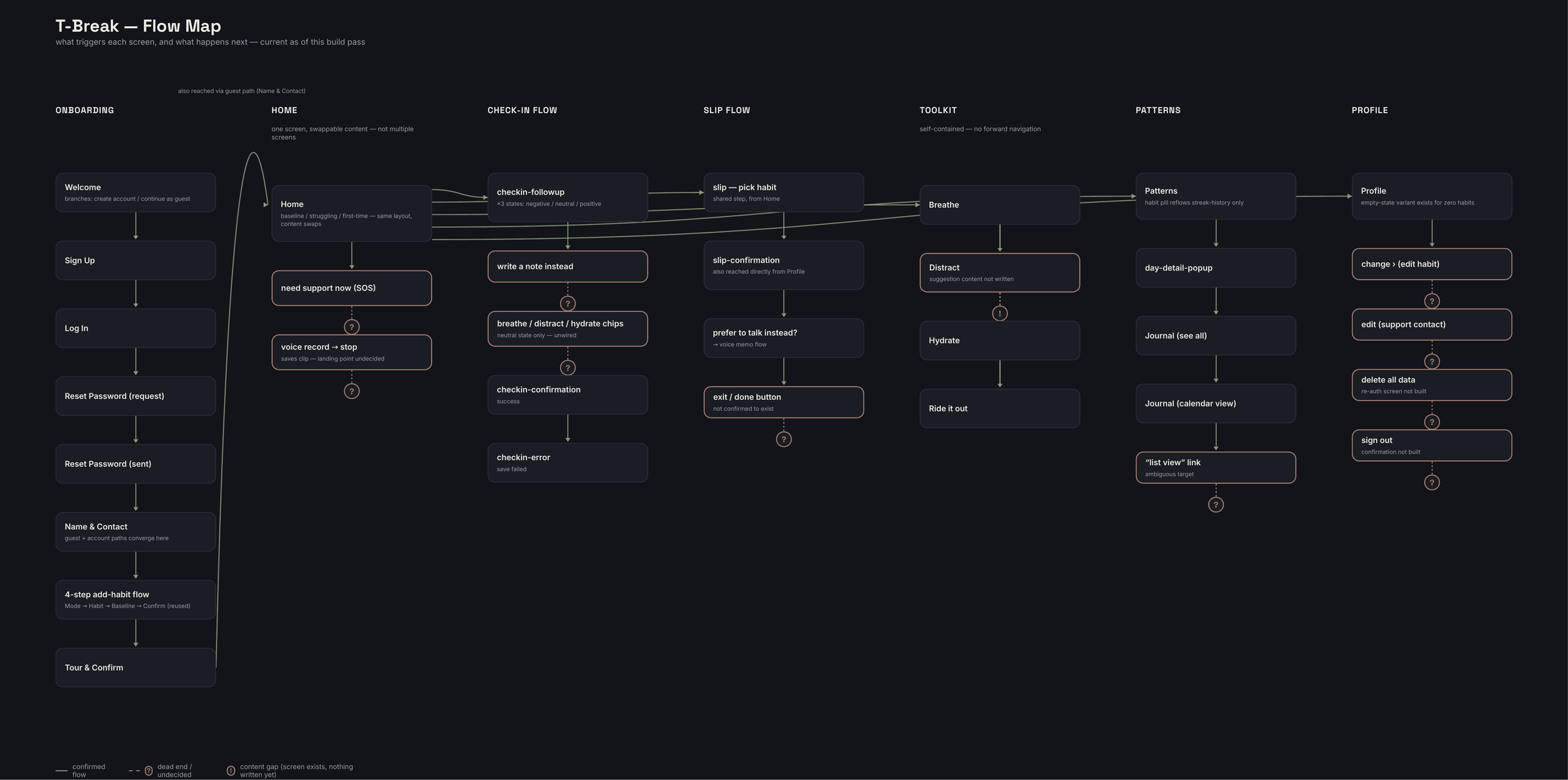
Once the feature list above stopped fitting in my head, I mapped every screen the app has: onboarding, Home, the check-in flow, the slip flow, the toolkit, Patterns, and Profile, along with every confirmed path, dead end, and open question at the time.
Every screen, every trigger, and every gap that still needed an answer.
Branches into create an account or continue as a guest. Guest mode only ever gates convenience, never safety, so the SOS sheet works either way.

Guest and account paths converge here before the app asks anything about the habit itself.
Mode, then habit, then baseline, then confirm. Mode comes first because every other screen depends on the answer, and it's never buried in settings later.

A short orientation, then straight into Home with the new habit already set up.

Say someone sets up nicotine as a short break, alongside alcohol and caffeine.
Sees the day count, the day's stats, their own "why," and the check-in card, all on one screen so nothing needs hunting for mid-craving.

Opens the toolkit directly from Home. Picks "ride it out" for a timed urge-surf, or "breathe" for a guided 4-7-8 pattern.

A short mood read, tough right now to good right now, then an optional tag on the follow-up sheet if they want to add one.

One tap from the check-in card into the slip flow, picks the habit, confirms. Only that habit's day count resets. Everything else on Home stays exactly where it was.

Sees their own tag history split into what's driving it and what's helping, built only from what they actually logged, real data from real check-ins, shown here.

explore a sample journey, or start from the beginning.
A big thing I learned doing this is that when something depends on human behavior, the observing part of a study gets complicated fast. I was the one administering the test and the one seeing the results. There was no middle person. Even with things anonymized, just knowing I'd see it in the end changed things, and because a lot of the people I tested with knew me in some way outside the study, that made it harder to get people to log honestly.
I also learned that when you're building something more complicated, it's easy to have an idea, implement it, and kind of lose track of it if you're not staying organized. That's what led to finding features in my own project that I'd built but hadn't fully designed out or thought through beyond the scope of that one feature.
Pushing this into an actual working PWA made all of that a lot more complicated. Normally there's a handoff, I'd give something to a developer and we'd go back and forth, but because it was just me, I had to learn a lot and ran into problems I'm not used to as a UX designer. I used Claude Code as an implementation assistant, and I owned the interaction specs, acceptance criteria, testing, and debugging needed to turn the prototype into a working PWA. A lot of problems came out of that, the biggest one was data not syncing. A lot of times fixing one problem would break something else, and fixing that would break the first thing again. So there was a lot of retesting things I'd already tested, because weird things would break in ways I didn't expect.
This project could be expanded a lot more. I'd want to look at an Apple Watch version, other OSs, things like that, but if I let myself design everything I'd never stop, so I kept a list of what I've thought about instead of chasing all of it. All in all I learned a lot from this, and it was meaningful watching people use something I built for a problem they care about. It took a lot of work and I ran into problems I don't usually run into, but that made it more fun and engaging, and more rewarding in the end.
jolly-moon-9952.joch6057.workers.dev
Scan with your phone's camera, or open the link directly.
Open the link in Safari (not Chrome). Tap the Share icon, then "Add to Home Screen." T-Break launches full-screen from your Home Screen, no App Store needed.
Open the link in Chrome. Tap the ⋮ menu, then "Add to Home screen" or "Install app" if prompted automatically. It installs like a native app.
Open the link in Chrome or Edge. Click the install icon in the address bar, or the browser menu → "Install T-Break," to run it in its own window.